Contents
You don’t actually need a US phone number or a credit card to create a US Apple ID. Create the account on the web, activate it once in the App Store, and if all goes well it’s done in a few minutes.
Downloading apps that aren’t in the China App Store, or subscribing to ChatGPT with a gift card, both start with having this account. Below I go step by step, with a link for each one.
What you need before starting
An email address that has never been used for an Apple account; Gmail or Outlook is fine. A phone number you’ll keep using long term; a Chinese +86 number works. It becomes the trusted number for two-factor authentication, and two-factor can’t be turned off once it’s on, so don’t use a temporary number.
Enter your real date of birth. The US media services terms set the minimum age at 13; the claim online that you must be 18 isn’t in the official terms. Your birthday gets checked when you recover your password, so a fake one only hurts you later.
Step 1: Create the account on the web
Open https://account.apple.com in a browser on your computer or phone and click Create Your Apple Account. Doing this in the browser means you don’t touch the iCloud account signed in on your phone.
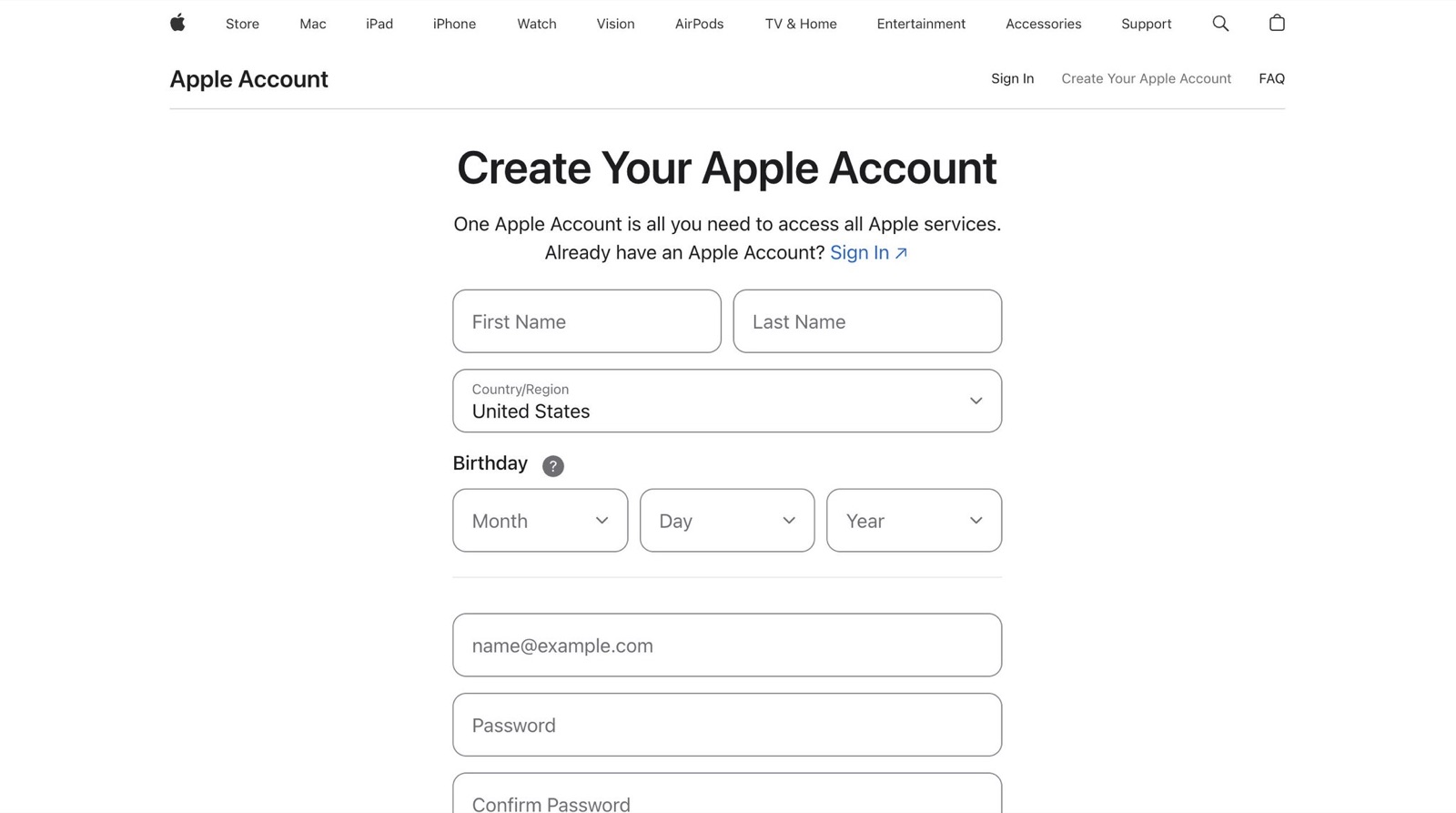
Choose United States as the country or region, enter your name in pinyin, then your birthday, email and password. For the phone number, choose China mainland +86 as the country code and text message as the verification method. Apple doesn’t say +86 is guaranteed to work for a US account, only that a +86 number may be required in mainland China, but plenty of people this year have received the code fine.
Enter the codes sent to your email and by text, and the account is created. If the page says it can’t create the account, trying a different email or phone number usually fixes it. At this point the account is only half done: it can’t download apps until you activate it in the App Store.
Step 2: On your phone, switch only the App Store account
Open Settings on your iPhone, tap your name at the top, go to Media & Purchases and sign out. Only this one. Do not sign out of iCloud; your photos, contacts and backups live there.
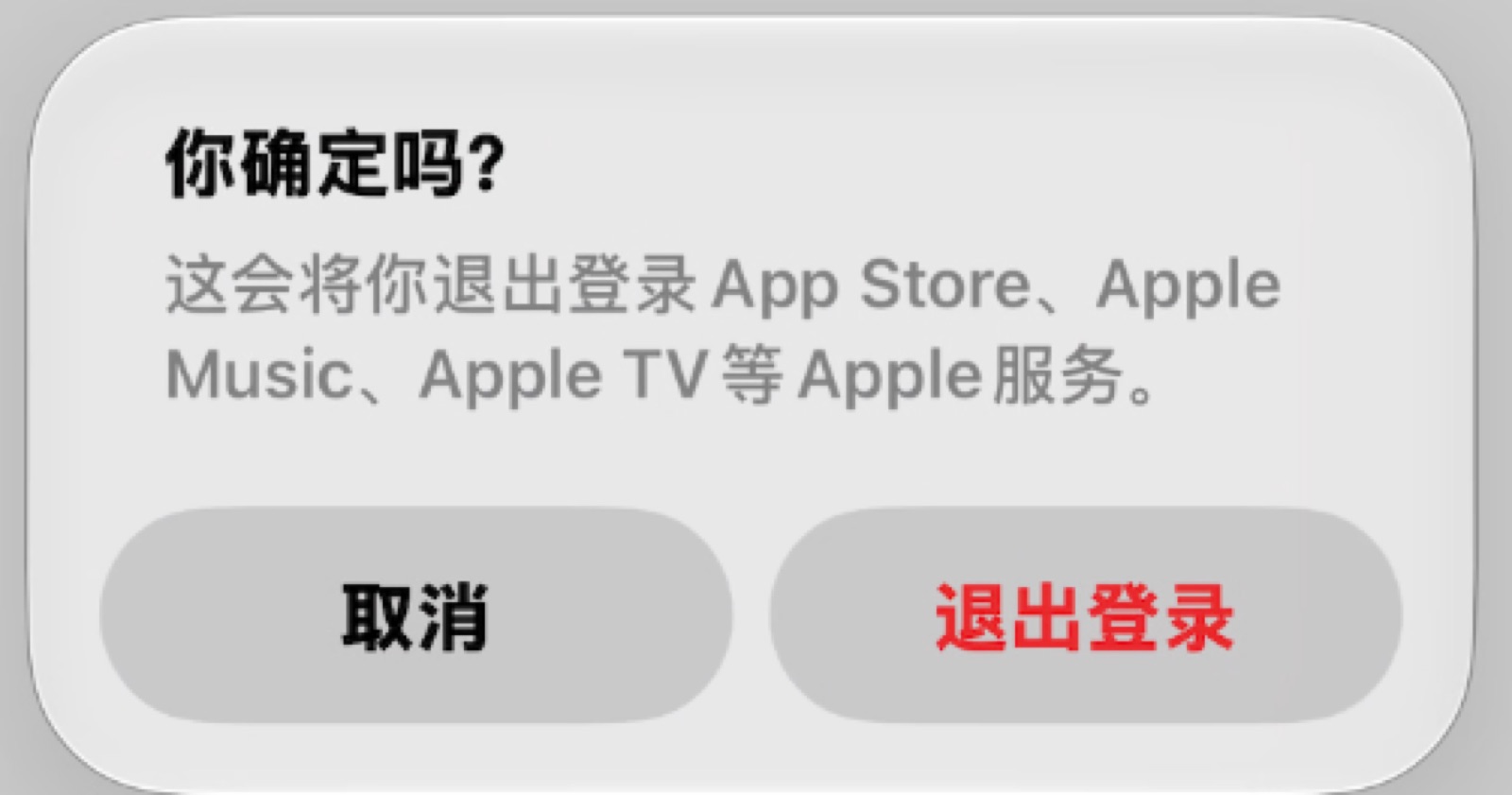
Then open the App Store, tap your avatar at the top right, and sign in with the new US account.
Step 3: Activate the account
The first time you tap Get on an app after signing in, you’ll see a message saying this Apple Account hasn’t been used in the App Store yet. Tap Review. This is the normal flow for a new account and happens to everyone; it isn’t a risk-control block.
Turn on the switch to agree to the terms, choose None for the payment method on the next page, fill in a billing address, tap Done, and it’s activated.
The billing address must be filled in even without a card, and in US format
If you don’t see None among the payment methods, community reports say it’s usually your network. Switch networks, or tap Get on a free app first and go through activation again.
Step 4: Download a free app to test it
Once it’s activated, search for a free app that isn’t in the China App Store. If it downloads normally, the account works. This is also where you’ll subscribe to Plus later.
The easiest pitfalls
Sign in to the US account only under Media & Purchases, never in iCloud. Cross-region accounts can get locked, and if it’s signed in to iCloud when that happens, you might not even be able to sign out on your phone. Stay away from bought, shared or ready-made accounts: someone else can change the password anytime and might even lock your device.
Another pitfall is subscriptions. Once an Apple account subscribes to ChatGPT for the first time, it’s locked to that GPT account, so always create the account yourself and make sure the app is signed in to the GPT account you want before subscribing. I covered the full gift card top-up and subscription process in my previous post.
After signing up, write down the email, password, birthday and the phone number you linked. Two-factor codes only go to that number, and if you lose it you basically can’t recover the account. The rules for cross-region accounts can change anytime, so don’t keep important things only in this account.
Note: if it says it can’t create the account, it’s most likely your VPN. A better VPN usually fixes it.
Use the US account only as a store account for downloads and subscriptions, and keep signing in to iCloud with your own main account day to day. That’s the safest setup. Which step did you get stuck on when creating your US account?